
Some links in this post are affiliate links. This means I may earn a small commission if you make a purchase, at no extra cost to you. I only recommend products I use and genuinely enjoy in my own cardmaking. Read more here.
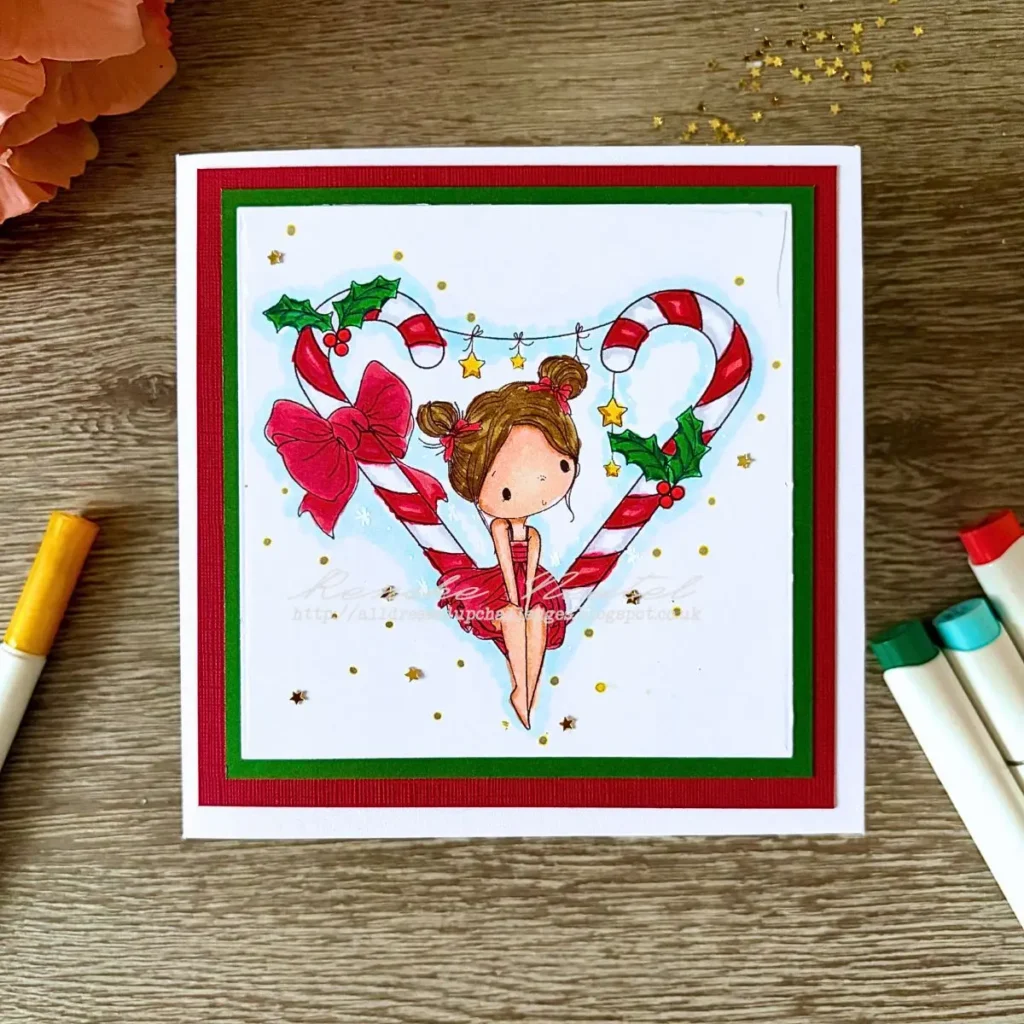
A handmade candy cane Christmas card does not have to involve cutting around every tiny detail. For this card, I used the Candy Stripe digital stamp by All Dressed Up Stamps and kept the complete illustration on a square panel instead of fussy-cutting it. That let me show the little stars, holly, bow, and heart-shaped candy canes without adding a thick white border around the image.
In this tutorial, I’ll show you how I printed and sized the Candy Stripe digital stamp, coloured it with Ohuhu Honolulu B alcohol markers, and built the card with a blue background, layered cardstock and a few gold details. You can use the same approach with other detailed digital stamps, adapting the colours and cardstock to suit your chosen image.
Materials and Dimensions for this candy cane card
Before you start making this handmade candy cane Christmas card, gather your supplies and check the measurements below. I’ve used a digital stamp, alcohol markers and layered cardstock to create a traditional Christmas design with a cool blue background and small golden details.
You don’t need every tool listed here to make a similar card. I’ve included alternatives where possible, so you can work with supplies you already have.
Materials
- Candy Stripe digital stamp by All Dressed Up Stamps (affiliate link). he main image used for this card, featuring a girl with candy canes and Christmas details. You can find the digital stamp through my affiliate link.
- A printer. To print the digital stamp at a size that fits your planned card design.
- 200 gsm DCP paper. This is the paper I used to print the digital stamp before colouring it with alcohol markers. If you’re a beginner, you could also try smooth, uncoated inkjet paper or paper specifically designed for alcohol markers. Check that the paper works with your printer and colouring medium before printing your image.
- Ohuhu Honolulu B alcohol markers (affiliate link). For colouring the girl, candy canes, holly and background. Coloured pencils or water-based markers are alternatives, but check that your paper and printer ink work well with your chosen medium.
- An 11 × 11 cm square die. To cut the image panel to size. Alternatively, use a paper trimmer or a ruler and craft knife.
- White cardstock. For the 13 × 13 cm card base.
- Red cardstock. For the 12.5 × 12.5 cm layer beneath the green cardstock.
- Green cardstock. For the 11.5 × 11.5 cm layer around the image panel.
- Gold star embellishments. To echo the golden stars in the illustration. Use other small embellishments from your stash if you prefer.
- A gold marker. To add small gold dots to the card front. If you don’t have one, you can leave out these dots or use another suitable gold colouring tool.
- A white gel pen. To draw small white stars and dots on the blue background. You can skip these details if you prefer a simpler finish.
- Adhesive. To attach the cardstock layers and embellishments. Use the adhesive you normally use for cardmaking.
Card Dimensions
These are the measurements I used for my card. Keeping the layers slightly smaller than one another creates a neat frame around the image.
- White card base – 13 × 13 cm
- Red cardstock layer – 12.5 × 12.5 cm
- Green cardstock layer – 11.5 × 11.5 cm
- Image panel – 11 × 11 cm
- Printed digital stamp – approximately 9 cm high and 9.5 cm wide
The greeting inside the card reads “Merry Christmas and a Happy New Year”. I left the front without a sentiment because I couldn’t find a position that worked with the illustration and the other details.
How to Make a Handmade Candy Cane Christmas Card
The card centres on the complete coloured digital stamp. A blue background gives the traditional red and green details contrast, while the layered cardstock and small gold accents frame the illustration.
Step 1. Decide How to Use the Candy Cane Digital Stamp
When I first looked at the Candy Stripe digital stamp by All Dressed Up Stamps, I found it difficult to decide how to turn it into a card. I usually like to fussy-cut my stamped images, but this illustration has quite a few fiddly details.
Cutting around all those small areas would have been tricky, and I would have needed to leave a fairly thick white border around the image. That isn’t the look I wanted for this card.
Instead, I decided to print the complete illustration and keep it on a square panel. The image already tells its own story, so I didn’t feel the need to add lots of extra elements around it.
My design decision was to keep the image intact and build the rest of the card around the panel.
Step 2. Print the Candy Cane Digital Stamp and Prepare the Panel
I placed the Candy Stripe digital stamp in Word so I could adjust its size before printing. The printed image measures approximately 9 cm high and 9.5 cm wide, leaving enough room to centre it on an 11 × 11 cm square panel.
When printing a digital stamp, you can resize the image in Word by selecting it and adjusting the height and width in the picture settings. If you use a different programme, look for similar image size settings in your software. Check the proportions and make sure the image fits comfortably within your planned panel before printing.
For this card, I printed the image at approximately 9 cm high and 9.5 cm wide, leaving enough space to centre it on my 11 × 11 cm panel.
I used an 11 × 11 cm square die to cut the panel, positioning the image in the centre. If you don’t have a square die in the right size, you can trim the panel with a paper trimmer or use a ruler and craft knife instead.

Normally, I place several images close together in a Word document so I can print them and cut them out afterwards. This time, I thought about how I wanted to use the image before printing it, which made it easier to plan the design around the finished panel.
Step 3. Colour the Digital Stamp with Ohuhu Alcohol Markers
I started by colouring the Candy Stripe digital stamp with my Ohuhu Honolulu B alcohol markers. I wanted to use traditional Christmas colours, with red for the candy canes and the girl’s dress, and green for the holly and other green details.
I coloured the image first so I could see how it looked before deciding whether to add anything else to the card. I also used complementary shades for the skin, hair and golden details to give the illustration more depth.
Skin
- YR00 . Barely Blush, for the base colour.
- YR11. Peachy Blush, for the shadows.
Hair
- E211. Light Elm Wood, for the lighter base colour.
- E415. Cedar Brown, for the warmer midtones.
- E413. Dark Brown, for the deeper shadows.
Red elements, including the candy canes and dress
- R46. Old Rose, for the pink highlights.
- R210. Deep Blush, for the lighter midtones.
- R014. Deep Vermillion, for the darker midtones.
- R015. Crimson, for the shadows.
White areas of the candy canes
- CG01. Cloud Grey, for very light shadows.
- CG02. Light Grey, for more noticeable shadows, such as along the edges.
- BGY00. Cashmere Grey, as an alternative if you prefer a subtle, slightly blue-green shadow that works well with a mint-green background.
Experiment with different shading colours to see what works best with your colour palette. If you’re new to colouring, start with a very light shade and add a little colour along the edges or where the white areas meet the red stripes. This adds definition while keeping the white areas looking bright rather than grey.
Colouring tip: If your white areas start looking too dark, use less pressure and apply a lighter touch with your marker. Keep most of the area white and concentrate the shading near the edges. It’s easier to build up colour gradually than to make an area lighter again once you’ve added too much.
Green elements, including the holly
- G310. Shamrock, for the highlights.
- BG212. Bright Pine Green, for the midtones.
- G316. Deep Jade Green, for the shadows.
Golden details
- Y26 . Light Gold, for a warm golden appearance.
- Y28. Corn Yellow, used sparingly for small shadow accents.
I like combining different shades within the same colour family because this helps create depth and gives each part of the illustration more definition. The reds and greens give the image its traditional Christmas feel, while the golden details complement the stars in the design.

My design choice
I didn’t plan any extra embellishments before colouring the image. Instead, I wanted to see how the finished illustration looked and how much space remained on the panel before deciding what to add next.
Step 4. Colour the Blue Background
I coloured the area around the illustration with my Ohuhu B02 alcohol marker. I chose blue because it feels calm and gives the card a cooler, wintry look.
The blue background also helps the coloured illustration stand out. I didn’t want the background to become too busy or make the image disappear into its surroundings, so I kept the rest of the design simple.
My design choice
The blue supports the illustration and adds a wintry feel without overpowering the traditional Christmas colours. By keeping the background relatively simple, I could let the girl, candy canes and holly remain the main focus of the card.
Step 5. Add the Gold Details and Finish the Card Front
The illustration already contains stars in a yellow, golden shade, so I wanted to bring that colour back elsewhere on the card.
You can adapt these finishing touches to suit the supplies you have. If you don’t have gold star embellishments, you could use a gold marker to draw your own little stars or add extra dots. Sequins or other small embellishments would work, too. You can also leave out the gold details or replace the white gel pen stars and dots with stamped details, or simply leave them off for a cleaner look.
I wanted to add a few finishing details without letting them distract from the illustration. Repeating colours and details that were already present in the image helped the embellishments feel like part of the overall design.
I considered adding a sentiment to the front of the card, but I couldn’t find a place where the text worked well with the illustration and embellishments.
In the end, I decided to leave the front without a greeting. I felt that the illustration already told its own story, and I wanted it to remain the main focus.
Instead, I moved the Christmas greeting to the inside of the card.

Step 6. Layer the Panel with Green and Red Cardstock
Once the image panel was ready, I attached the different layers of cardstock to build the card.
I used the following dimensions:
- White card base – 13 × 13 cm.
- Red cardstock layer – 12.5 × 12.5 cm.
- Green cardstock layer – 11.5 × 11.5 cm.
- Image panel – 11 × 11 cm.
I attached the image panel to the green cardstock, placed the green layer on top of the red cardstock, and then attached the assembled layers to the white card base.
The red and green cardstock picks up the traditional Christmas colours in the illustration and gives the image panel a clear frame.
Step 7. Finish the Inside of the Christmas Card
I kept the inside of the card simple and didn’t add any extra layers of cardstock. Instead, I added the greeting “Merry Christmas and a Happy New Year”.
This leaves plenty of room to write a personal message inside the card.

Let’s Get Creative Together
This handmade candy cane Christmas card is a reminder that a detailed digital stamp can work beautifully without being fussy-cut. Planning the panel first gave me a clear layout to work with, while the blue background, layered cardstock and small gold details helped bring the image together.
If you’re new to cardmaking or digital stamps, you can try this approach with an image you already have. You don’t need to get everything right the first time or own lots of supplies to get started. Take it one step at a time, experiment with your colours and build the card around your image. You don’t need lots of extra embellishments to create a design that feels complete.
If you try this approach with a digital stamp from your own stash, I’d love to hear how you get on. Do you usually fussy-cut your digital stamps, or do you prefer to keep them on a panel? And what colour would you choose for the background?
More related Christmas card ideas
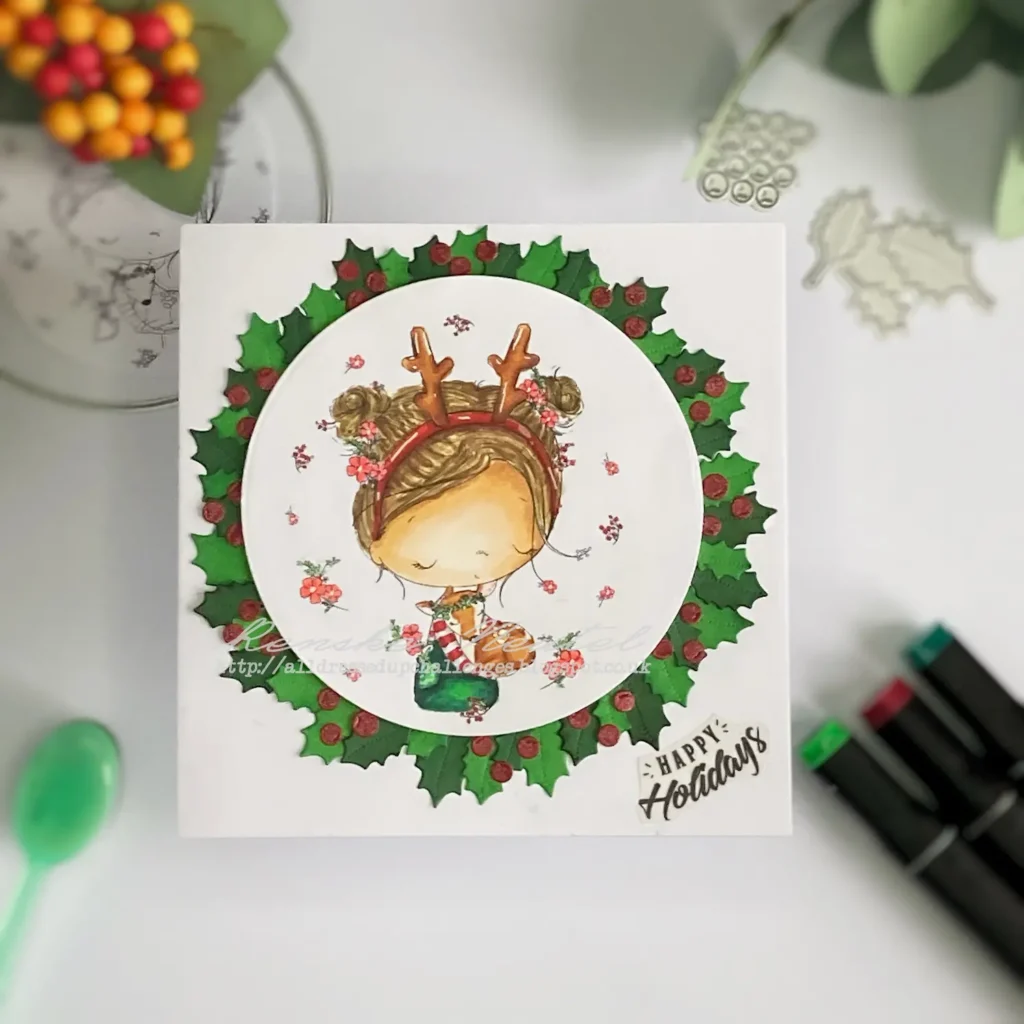
DIY Christmas Card Wreath With Christmas Hugs Digital Stamp
A christmas card with the Christmas Hugs digital stampf from All Dressed Up Stamps. Die-cut in a circle and a wreat around it.

Create A Fairy Christmas Card With Festive Bauble
Use this tutorial to learn more about digital stamps and adding die-cuts to complete the scene but let the stamp shine.

How To Make A Shaker Card With A Christmas Digital Stamp
A christmas card I used the fussy cutting on the digital stamp from All Dressed Up Stamps and made a shaker card with it.
Products Mentioned in This Post.
Affiliate Disclosure
Some links in this post are affiliate links. This means I may earn a small commission if you make a purchase through one of these links, at no extra cost to you. Thank you for supporting Renske Wishes You and helping me keep creating cardmaking inspiration and tutorials.
Candy Stripe Digital Stamp

Ohuhu markers 320 set

Challenges I’m Joining
- Try it on Tuesday: Make it magical
- Word Art Wednesday: Anything goes
- CREATIVE INSPIRATIONS: Anything goes
- Krafty Chicks Challenge: Anything goes
- Crafty Catz: anything goes
- Lil Patch of Crafty Friends Challenge …: Anything goes
- 613 Avenue Create: Anything goes
- Crafter’s Cafe: Anything goes
e

Renske, this is such a very sweet card! I love the image and you have colored it in so well. Thanks so much for sharing your amazing talents with us at Word Art Wednesday. We always appreciate seeing what you’ve created!